|
|
|
|
ESG ColorEnhance Wizards Overview
Colordrape Wizard | Color Enhancements Wizard
Resolution Merge Wizard | Natural Color Wizard
|
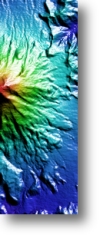
The Colordrape Wizard lets you create several different types of colordrape images, or images that combine color with shaded relief. This wizard gives you fast access to many different combinations and options. Typical input data types includes DEMs, bathymetry, and geophysical data.
-
Create images using Standard, Softened, Wet Look, Shiny Look or Metallic Look colordrape techniques.
-
Select any ER Mapper color table, or various sets of colors for Wet and Shiny looks.
-
Select predefined shade elevations or azimuths, or define your own custom shading.
-
Invert color or shaded image data values if desired, or median filter shaded data to reduce noise.
-
Process a subset of the image area, and specify a wide variety of contrast enhancements.
-
Fine tune all enhancements and options, and immediately see the results.
|
|
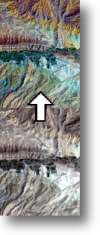
The Color Enhancement Wizard lets you perform several different types of color space enhancements on an RGB image. These enhancements are typically designed to make the image more pleasing to the eye or enhance the overall information content to aid analysis and interpretation.
-
Use Hue Saturation Intensity (HSI), Brovey (Chromaticity) Transform, Direct Decorrelation Stretch (DDS), Intensity Convervation DDS, or Hybrid Contrast Stretch enhancement techniques.
-
For HSI, rotate hue, stretch/increase color saturation, and sharpen/stretch intensity.
-
For Brovey Transform, Intensity can be one of the image bands, or the overall image intensity derived from any three RGB bands.
-
For DDS and ICDDS, select any 'k' factor to control image color saturation increase.
-
Process a subset of the image area, and specify a wide variety of contrast enhancements.
-
Fine tune all enhancements and options, and immediately see the results.
|
|
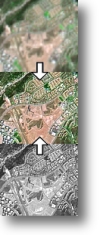
The Resolution Merge Wizard lets you merge or “fuse” an RGB image with a higher resolution panchromatic image to create a hybrid image with the RGB color and panchromatic spatial resolution. Typical examples are merging Landsat TM 30-meter data with SPOT Panchromatic 10-meter data or SAR imagery.
-
Use Red Green Blue Intensity (RGBI), Hue Saturation Intensity (HSI), Brovey Transform, Smooth Filter Intensity Modulation (SFIM), High Pass Filter (HPF) Additive, or Transparency Merge fusion techniques.
-
RGBI and HSI techniques include histogram matching Pan intensity to RGB intensity, averaging Pan and an infrared band for intensity, and method to convert RGB to Intensity. HSI also includes stretching/increasing color saturation.
-
Process a subset of the image area, and specify a wide variety of contrast enhancements.
-
Fine tune all enhancements and options, and immediately see the results.
|
|
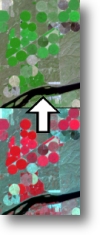
The Natural Color Wizard lets you convert typical “false color infrared” images into simulated natural color images, so vegetation appears in green instead of red. Typical data types for this transformation include SPOT XS, Landsat MSS, color infrared (CIR) airphotos, or any data that does not contain a visible blue wavelength band.
-
Use the Simple Weighted Average (WTA) technique to generate natural color, or enhance WTA colors using Direct Decorrelation Stretch (DDS) or Brovey Transform techniques.
-
Generate a vegetation (NDVI) mask to apply the natural color transformation only to vegetated areas, or to modify the transformation effects.
-
Process a subset of the image area, and specify a wide variety of contrast enhancements.
-
Fine tune all enhancements and options, and immediately see the results.
|
|